Quick answer
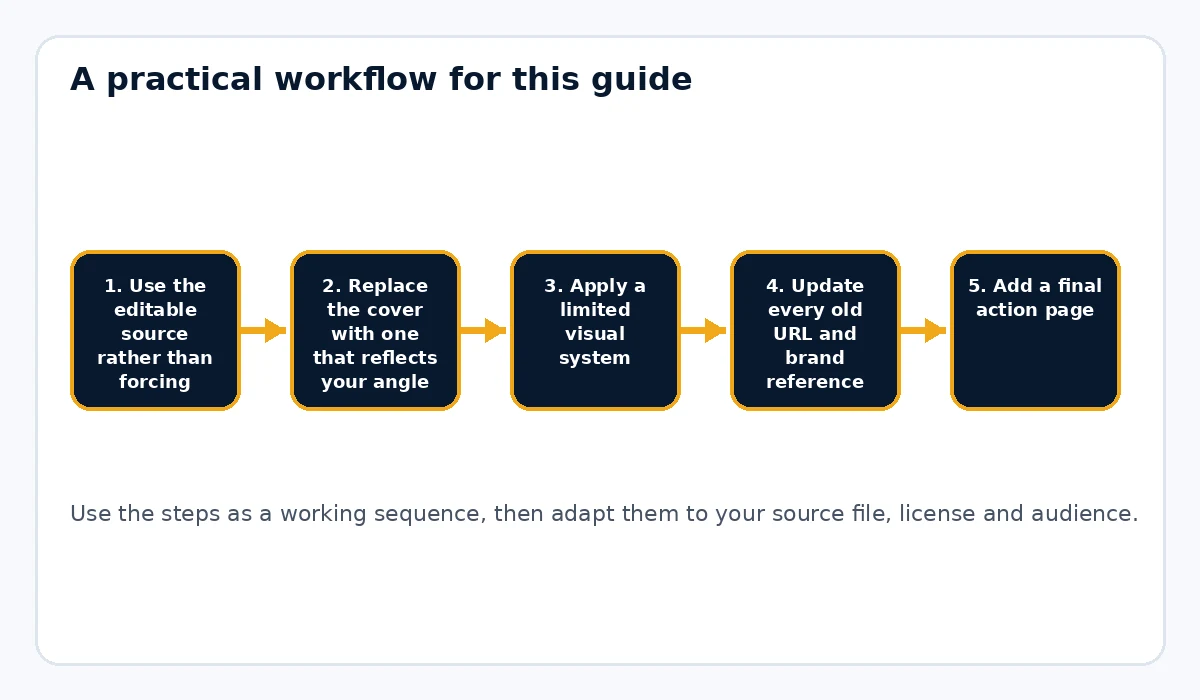
To add your brand to a PLR PDF, work from the editable source, create a new cover, apply a simple brand system, replace old links and close with a relevant call to action.
What to prepare first
- Editable source file if available
- Brand kit
- A footer or publisher name
- Updated URL destinations
- A final CTA
Use the editable source rather than forcing direct PDF edits
When possible, start with Word, text or Markdown instead of editing the PDF itself. Source files are easier to update, restructure and export cleanly. Direct PDF edits are usually slower and harder to maintain.
Replace the cover with one that reflects your angle
The cover is often where branding changes are most visible. Use your own title treatment, subtitle and brand identity. Make sure the cover matches the product’s actual promise, not just the original PLR topic.
Apply a limited visual system
A few consistent choices matter more than dozens of decorative ones. Stick to a heading system, body type, color palette and footer treatment. Readers feel the difference when the pages look unified.
Update every old URL and brand reference
Search the file for URLs, support details, resource mentions and publisher names. Replace or remove anything that no longer belongs. Then add your own site link where it helps the reader.
Add a final action page
A closing page is one of the easiest ways to make the PDF work harder for your business. That page might point to your store, a consultation, a mailing list or a next-step resource.
Choose a workflow that keeps the process repeatable
If you plan to brand many reports or ebooks, you want a repeatable way to turn source files into polished output. Rebrand My PLR helps by focusing on branded PDF output from source documents, which is useful when your product line is document-heavy.
Open the final PDF and compare several pages
Do not just check the cover. Skim the middle and the end of the file too. Make sure the branding remains consistent, the CTA page is intact and the export did not break links or layout.
Simple workflow example
You import a PLR checklist source file, add a new cover, apply your heading and body styling, insert your website footer, rewrite the final CTA page and export a cleaner PDF that now feels like part of your own product line.
Common mistakes to avoid
- Editing the PDF directly when an editable source exists
- Changing the cover but leaving old URLs in place
- Using branding that distracts from readability
- Skipping a clear closing CTA
- Failing to inspect the PDF after export
Start from the editable source whenever possible
Direct PDF editing can be useful for a tiny correction, but it is usually the wrong starting point for a full rebrand. Word, text or Markdown gives you cleaner control over headings, examples, URLs and structure. Make the editorial changes in the source, then generate a fresh PDF. That produces a more maintainable product and reduces the risk of fonts, links or page elements behaving unpredictably. If the PLR package includes several source formats, choose the one that is easiest for you to edit consistently.
Use branding where it helps recognition
A logo on every page is not automatically better branding. The strongest brand signals are usually the cover, typography, color system, footer, tone and final action page working together. Keep the logo small enough that it does not compete with the content. Use the same site name or publisher name in predictable places. When readers download several of your guides, those repeated cues should make the collection feel connected without turning every page into an advertisement.
Treat links and the final page as part of the brand
Branding includes what the reader can do, not only what they can see. Replace source-publisher URLs, update support details and use descriptive links. The final page can summarize the result, point to a related resource and give one next action. If the PDF is a lead magnet, that action might be your paid product. If it is a paid product, the next action could be a companion tool or support page. A useful close gives the document a deliberate ending instead of simply stopping after the last paragraph.
Practical example
Suppose you have a PLR checklist delivered as a Word file. Replace the generic title, apply your brand colors, create a new cover, add your site in the footer, rewrite the examples for your audience and build a closing page that links to the next resource. Export a fresh PDF and compare random pages with the source. The finished file should look and read like it belongs to your business, not like a template with a logo pasted on top.
Final publishing check
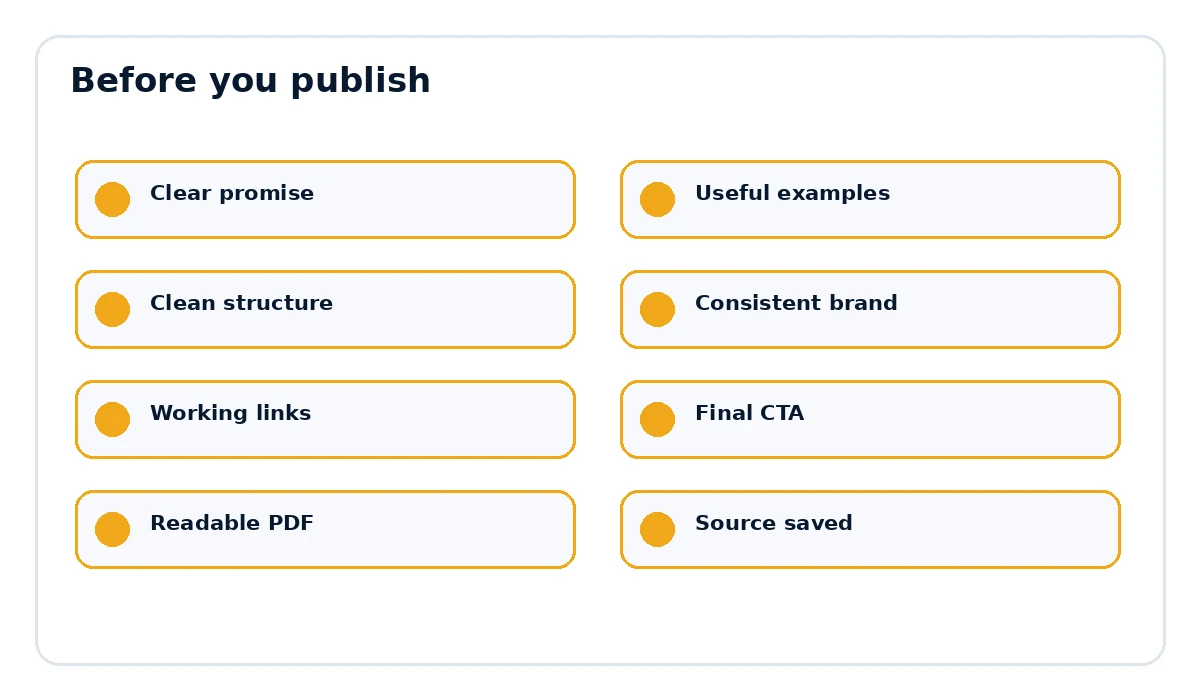
- The page title and document title match the actual promise.
- Examples, links and references are current and relevant.
- The document is easy to scan on desktop and mobile.
- The final call to action points to the correct destination.
- The exported PDF opens cleanly and every important link works.
How to keep the branded PDF maintainable
A rebrand is easier to maintain when the design choices are reusable and the editable source stays organized. Keep the source file, any custom images, the current logo and the final export in one project folder. If you change your website URL, brand colors or offer later, you should be able to update the source and create a fresh PDF without reconstructing the product. This is another reason to avoid treating the final PDF as the master file. The PDF is the delivery format; the editable source is the working asset. A clean archive also matters when you create several related products because you can reuse the same footer, CTA structure and visual system without copying old mistakes from file to file.
Want the final document to look like a finished product?
Rebrand My PLR helps turn Word, text and Markdown files into more polished branded PDFs with a clearer cover, cleaner sections and a stronger final presentation.
See Rebrand My PLRFrequently asked questions
Can I edit a PLR PDF directly?
Sometimes, but starting from the editable source is usually much cleaner.
Where should I put my logo in a PLR ebook?
The cover, title page or a small footer are common placements that do not usually disrupt readability.
Should I remove the original author’s name?
Only if your license allows that change.