Quick answer
To brand PLR content without Canva, separate content editing from visual formatting, create a small house style, use a repeatable cover system and export the final file as a clean PDF.
What to prepare first
- Editable PLR source file
- A simple brand kit
- A reusable cover direction
- A consistent CTA destination
- A template or publishing workflow
Edit the message first
Before touching the design, improve the content. Fix the title, audience angle, structure and links first. That prevents you from styling pages that will later be deleted or rewritten.
Use a small house style instead of designing from scratch
Most PLR products do not need a fully custom design treatment. In practice, a tight set of brand rules goes a long way: one heading font, one body font, two or three colors, one footer style and one approach to callout boxes.
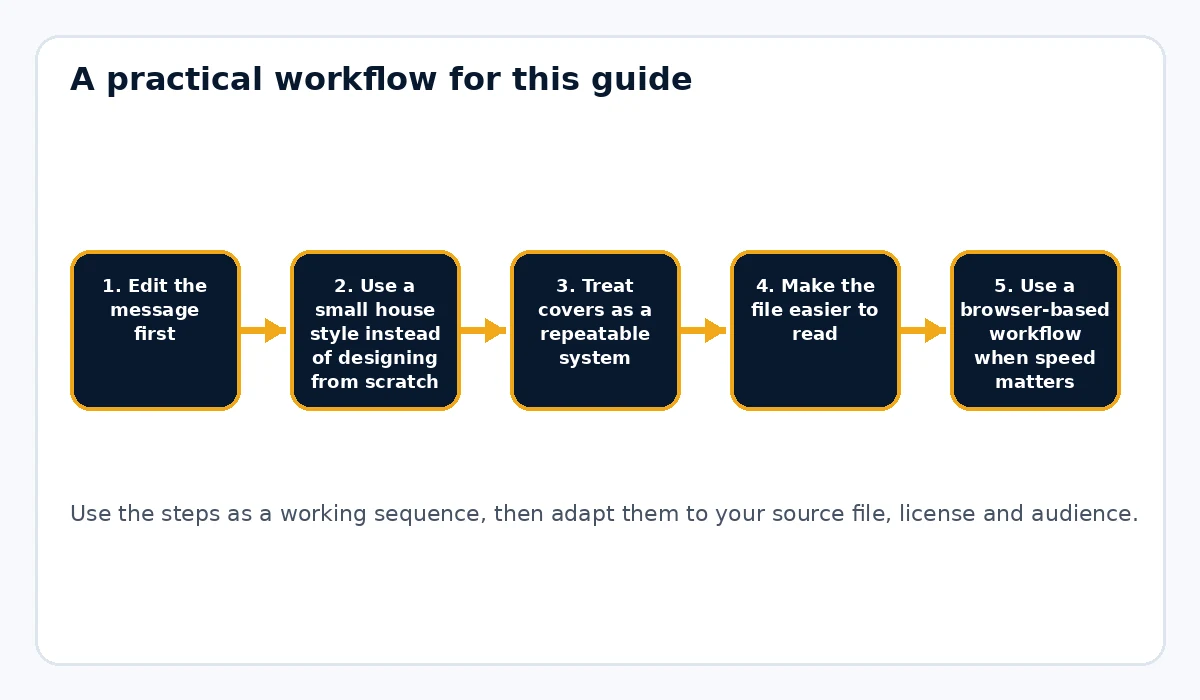
Treat covers as a repeatable system
Many sellers lose time because every new PLR product gets a totally new visual direction. Instead, build a small family of covers that share the same brand feel. Only the title, subtitle and a few accent choices need to change.
Make the file easier to read
A document-focused workflow should improve usability, not just looks. Use clear headings, consistent paragraphs and predictable spacing. If the document is long, a contents page helps readers understand the shape of the guide quickly.
Use a browser-based workflow when speed matters
If you mainly create text-heavy ebooks, reports, lead magnets and checklists, document-branding tools can be faster than rebuilding layouts in Canva every time. Rebrand My PLR is useful for applying a more product-like format to Word, text and Markdown sources while keeping the workflow simple.
Build reusable CTA and footer elements
Instead of manually pasting the same website, support email or final offer into every project, create a reusable closeout structure. Consistency saves time and reduces mistakes.
Create one polished master and repeat the system
Once you have one PLR product that feels right, document the system. The second and third products will then move much faster because you are refining a workflow instead of inventing a process each time.
Practical positioning example
A creator who publishes monthly lead magnets might use the same overall cover structure, footer and CTA in every PDF, changing only the title and accent visuals. That gives readers a consistent branded experience without rebuilding the design from zero each month.
Common mistakes to avoid
- Starting in the design phase before clarifying the audience and promise
- Using too many visual styles across a product line
- Letting the cover and the document body feel like two different brands
- Treating Canva as mandatory for every PLR asset
- Skipping process documentation after finding a workflow that works
Know when a document workflow is the better tool
Canva is excellent for visual assets, but it is not automatically the fastest place to manage a long text-heavy ebook. If most of the asset is headings, paragraphs, lists, checklists and a few images, a document-centered workflow can be simpler. You can edit the source as text, keep the content easy to update and apply a repeatable visual system at export time. This is especially useful when you publish many similar guides because the formatting rules can stay consistent while the content changes.
Create a house style you can use again
Write down the decisions you want to repeat: heading font, body font, three brand colors, cover style, footer text, logo treatment and call-to-action layout. A small house style removes dozens of choices from the next project. It also keeps a product line looking related. The goal is not to make every ebook identical. It is to establish enough visual consistency that the reader can recognize your brand while each guide still has its own topic and cover treatment.
Build a batch-friendly process
If you have several PLR files to rebrand, work in stages instead of finishing one file from beginning to end before touching the next. First clean and rename the source files. Then update titles and examples. Next add your original resources. Finally apply branding and export. Batch processing reduces context switching and makes it easier to spot repeated issues across the source material. A repeatable tool such as Rebrand My PLR becomes more useful in this situation because the visual publishing step can be applied consistently after the editorial work is complete.
Practical example
A publisher releasing one new lead magnet each month could keep the same typography, footer, logo placement and closing-page structure across all twelve downloads. Each month only the topic, cover visual, examples and core content need to change. That system is faster than redesigning each file from scratch and gives subscribers a consistent experience when they download more than one resource from the same brand.
Final publishing check
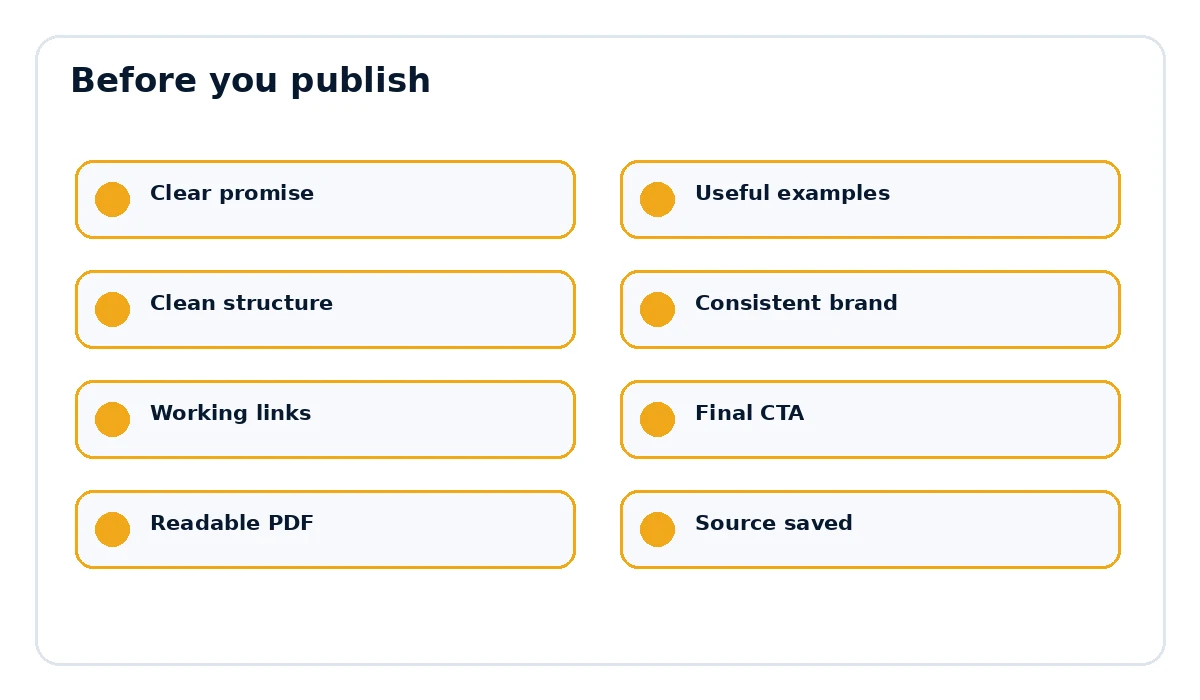
- The page title and document title match the actual promise.
- Examples, links and references are current and relevant.
- The document is easy to scan on desktop and mobile.
- The final call to action points to the correct destination.
- The exported PDF opens cleanly and every important link works.
When to bring a design tool back into the workflow
A document-first workflow does not mean visual design tools are never useful. Use them when you need a custom cover illustration, social graphic, mockup or highly visual workbook page. The difference is that those assets support the document instead of becoming the place where every paragraph must be maintained. For a long guide, keep the core content in an editable text-based source and create only the visual pieces separately. That gives you the speed of structured publishing and the flexibility of custom graphics where they actually add value. The result is a hybrid workflow: content stays easy to revise, while the most important visual moments can still receive extra attention.
Want the final document to look like a finished product?
Rebrand My PLR helps turn Word, text and Markdown files into more polished branded PDFs with a clearer cover, cleaner sections and a stronger final presentation.
See Rebrand My PLRFrequently asked questions
Do I need Canva to rebrand a PLR ebook?
No. Canva is one option, but not the only one. Text-heavy products can be branded through templates or browser-based document workflows.
What kinds of PLR are easiest to brand without Canva?
Ebooks, checklists, guides, workbooks and reports are usually the easiest because typography and structure do most of the work.
How do I keep multiple PLR products consistent?
Use the same colors, fonts, footer, cover system and CTA structure across the whole line.