Quick answer
To create a lead magnet from PLR content, narrow the topic, rewrite the promise, remove filler, add one original asset, brand the file and deliver it through a clean opt-in flow.
What to prepare first
- The PLR source file and license
- A target audience and list-building goal
- An opt-in page and delivery system
- A simple brand style
- One supporting resource such as a checklist or worksheet
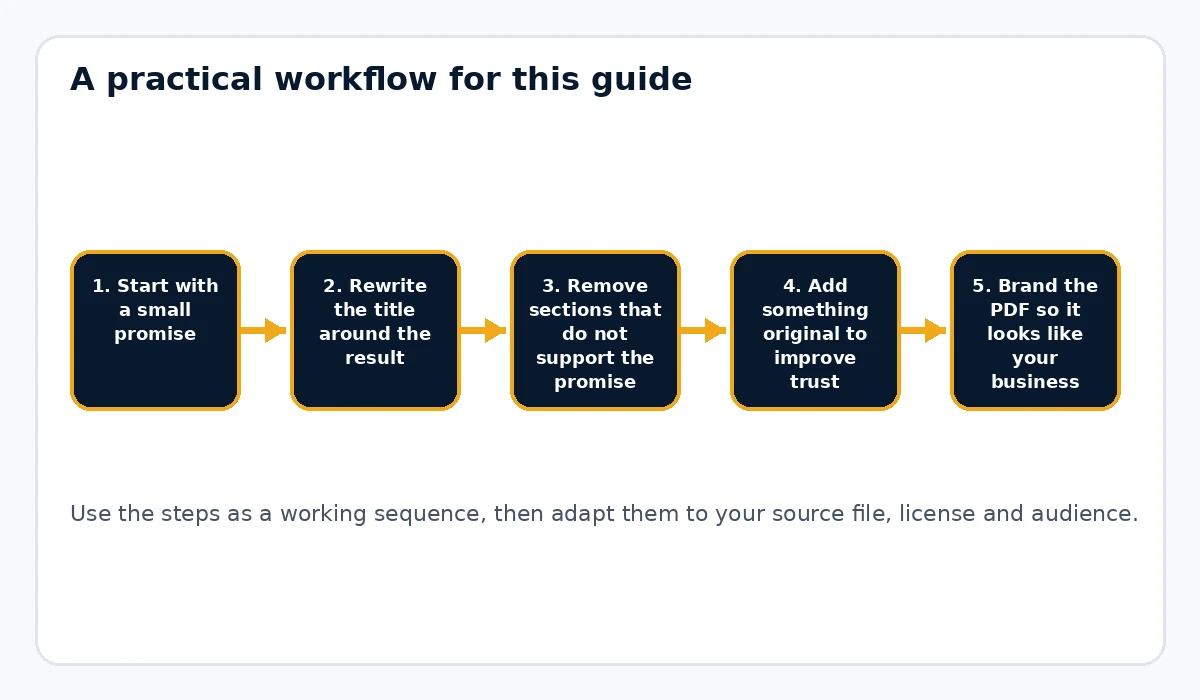
Start with a small promise
Lead magnets work better when they solve one immediate problem. A generic 50-page PLR ebook is usually too broad to convert well as a free gift. Instead, pull out one outcome: a checklist, mini guide, quick-start PDF or short worksheet-backed report.
Rewrite the title around the result
The title should answer a reader’s quiet question: what will I get if I download this? Replace generic titles with a specific outcome. Clear titles usually outperform broad or clever ones for opt-ins because they reduce uncertainty.
Remove sections that do not support the promise
One reason PLR freebies feel weak is that they include everything from the source product whether or not it belongs. Cut anything that slows down the quick win. A focused lead magnet often converts better than a longer one.
Add something original to improve trust
The easiest upgrades are a checklist, short worksheet, resource list, action steps or a few concrete examples. You do not need to reinvent the entire document. You just need enough original value that the final file feels tailored and helpful.
Brand the PDF so it looks like your business
A clean cover, chapter style, footer and closing CTA change how the freebie is perceived. If the document looks like a raw file download, it can lower trust. Rebrand My PLR helps here because it turns simple documents into more consistent branded PDFs without requiring a heavy design workflow.
Test the full opt-in path
The lead magnet experience includes the page, the form, the email and the PDF. Subscribe with a fresh email address and test every step: opt-in, thank-you page, delivery email, download link and the final CTA inside the PDF.
Use the final page to guide the reader forward
A lead magnet should lead somewhere. Use the last page to invite the reader to your newsletter, course, product or related guide. One relevant next action is enough.
Mini workflow example
Take a broad PLR ebook about affiliate marketing and extract only the section on choosing a niche. Turn that into a short guide called '7 Fast Checks Before You Pick an Affiliate Niche,' add a one-page checklist, brand it and use the final page to invite readers to your paid toolkit or newsletter.
Common mistakes to avoid
- Giving away a giant unfocused ebook instead of a specific quick win
- Leaving generic PLR titles unchanged
- Skipping test signups before launch
- Using several different calls to action inside one small PDF
- Treating the lead magnet as a file only instead of a full opt-in experience
Choose the format that matches the problem
Not every lead magnet should be an ebook. A decision checklist works well when the reader needs to evaluate options. A worksheet fits a problem that requires input or planning. A swipe file is useful when the reader wants examples to adapt. A short guide works when the problem needs explanation before action. Start with the job the lead magnet needs to do, then choose the format. This avoids the common mistake of forcing every piece of PLR into a twenty-page PDF simply because that was the format you purchased.
Make the opt-in promise match the actual PDF
The landing page, email subject and PDF cover should describe the same outcome. If the opt-in promises a “10-Minute PLR Rebranding Checklist,†the download should not open with a generic forty-page ebook on content marketing. Consistency reduces disappointment and makes the asset easier to remember. Repeat the core promise on the cover and first page, then deliver the useful material quickly. The reader should not have to work through a long introduction before reaching the reason they subscribed.
Design the delivery path before you publish
A lead magnet is a small funnel, not just a file. Decide where the visitor subscribes, what thank-you message they see, how the download is delivered and what happens next. Test with an email address that has never been used in the automation. Open the message on desktop and mobile, click the download and test the call to action inside the PDF. If the next step is a product, make sure the transition is logical. The best lead magnets solve one problem and naturally reveal the next problem your paid offer addresses.
Practical example
Suppose you own a broad PLR ebook about affiliate marketing. Instead of giving away all fifty pages, extract the section about niche selection and turn it into “7 Checks Before You Choose an Affiliate Niche.†Add a one-page scorecard, replace generic examples with current niche examples and finish with a link to your broader affiliate toolkit. The asset is shorter than the source ebook, but it is more focused, easier to consume and better connected to the next step in your business.
Final publishing check
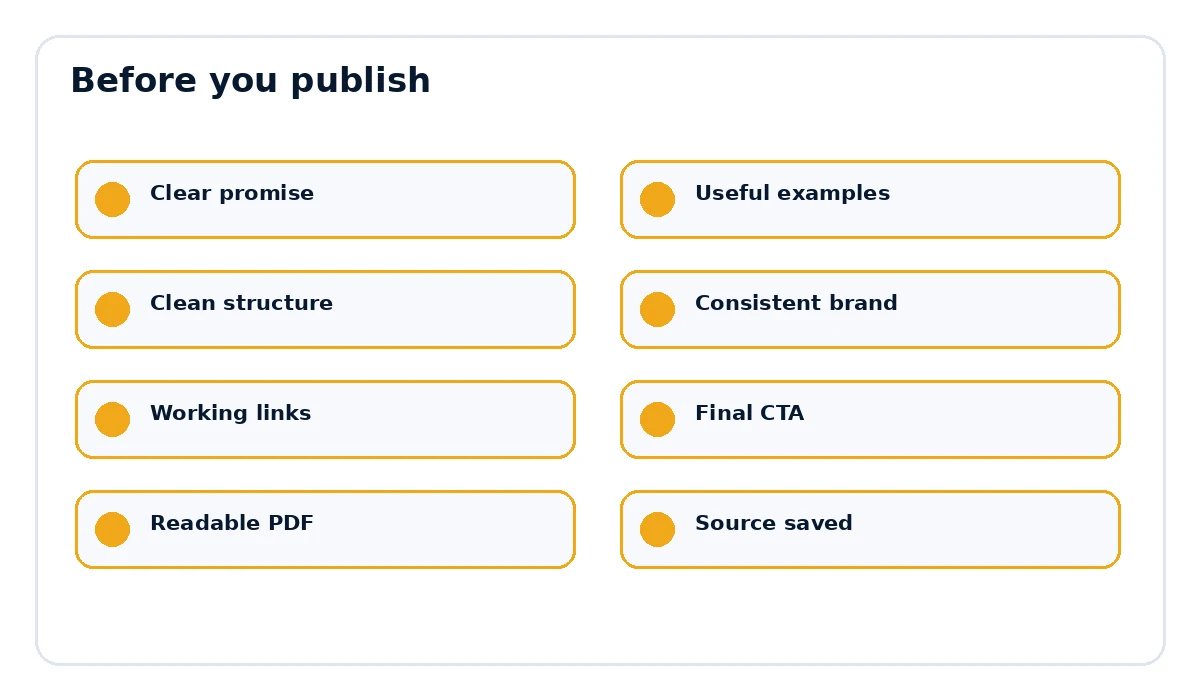
- The page title and document title match the actual promise.
- Examples, links and references are current and relevant.
- The document is easy to scan on desktop and mobile.
- The final call to action points to the correct destination.
- The exported PDF opens cleanly and every important link works.
Want the final document to look like a finished product?
Rebrand My PLR helps turn Word, text and Markdown files into more polished branded PDFs with a clearer cover, cleaner sections and a stronger final presentation.
See Rebrand My PLRFrequently asked questions
Can I use PLR as a free lead magnet?
Often yes, but you need to confirm the specific license first.
How long should a lead magnet be?
Long enough to solve one problem clearly. Many effective lead magnets are short.
Should a PLR lead magnet promote a paid product?
Yes, as long as the next step is relevant and does not overwhelm the reader.