Quick answer
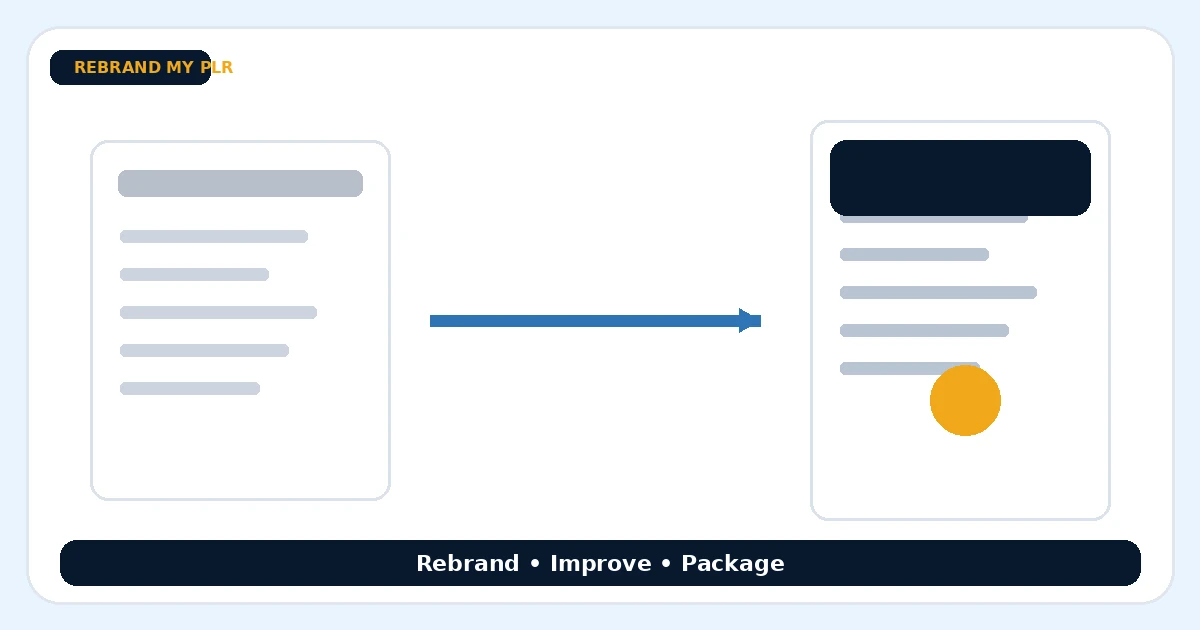
To rebrand a PLR ebook for resale, start with the license, choose a narrower audience, rewrite the promise, remove filler, add original examples, replace the design and export a clean branded PDF.
What to prepare first
- The PLR source file and license
- A specific buyer persona
- Brand name, colors and logo
- A destination link or offer
- A final PDF checklist
Start with the license before touching the content
The first step is legal, not creative. Check whether the PLR license allows editing, rebranding, resale, list-building use, or bundle use. Many sellers label products as PLR, but the actual permissions differ. Keeping a copy of the license in the project folder prevents confusion later when you are ready to sell or give the document away.
Pick one buyer, not everyone
A generic ebook usually underperforms because it tries to speak to too many people. A better approach is to choose one buyer and one clear outcome. For example, instead of a broad content-marketing ebook, you might aim the finished product at coaches, local businesses, or affiliate marketers. The narrower the audience, the easier it becomes to rewrite the title, examples and call to action.
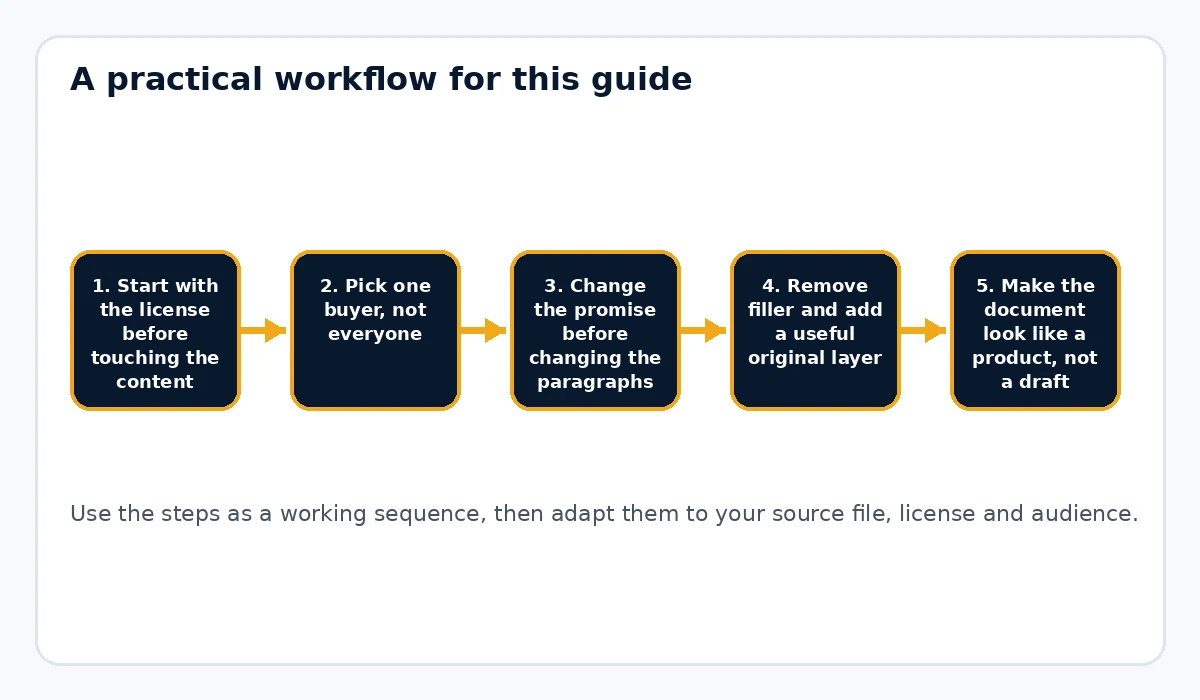
Change the promise before changing the paragraphs
A lot of people rebrand PLR backwards: they jump into font changes and cover design before fixing the positioning. Start by rewriting the title, subtitle, first-page promise and chapter summaries. If the promise is clearer, the rest of the editing becomes easier because you know what belongs in the product and what should be cut.
Remove filler and add a useful original layer
Rebranded PLR should not read like a lightly dusted copy of the source file. Remove repetitive sections, weak transitions and outdated references. Then add something useful that reflects your own angle: a checklist, worksheet, template, examples, glossary, bonus resources or action steps. This is often where the perceived value jumps most.
Make the document look like a product, not a draft
Readers judge quality within seconds. A plain exported document can make the content feel less valuable even when the information is solid. Use a consistent cover, chapter hierarchy, footer, link treatment and color system. Rebrand My PLR is useful here because it lets you take a Word, text or Markdown file and apply a more deliberate product look without redesigning every page manually.
Replace links and build a next step
Before exporting, search for every old URL inside the source file. Remove dead links, replace generic resources and point readers to one clear next step. That next step might be your newsletter, a higher-ticket offer, a membership, a coaching page or another digital product. A good PLR product should not just end; it should lead somewhere relevant.
Quality-check the finished PDF before listing it
Open the final PDF on desktop and mobile, test links, skim headings, check page breaks and confirm that no original branding remains. Also confirm that the cover and file name match the product positioning. Save the final PDF, the editable source and the license together so you can update the product later without digging around for assets.
Example workflow using Rebrand My PLR
Start with the licensed PLR text in Word or Markdown. Trim weak sections, rewrite the title, then import the cleaned file into Rebrand My PLR. Apply your brand colors, chapter styling, footer link and cover treatment. Export the branded PDF, then add it to your store or delivery system with a short START-HERE note if needed.
Common mistakes to avoid
- Changing the cover but leaving generic examples inside the content
- Keeping outdated links or tool references from the original file
- Trying to appeal to everyone instead of one narrower audience
- Publishing without checking the license terms carefully
- Forgetting to add a relevant next step at the end of the document
How to decide what stays, what changes and what gets removed
Use the new promise as the filter. Keep sections that directly help the chosen reader get the promised result. Rewrite sections that contain good ideas but use generic language or outdated examples. Remove anything that distracts from the outcome, repeats another chapter or sends the reader down a side path. This is where a rebrand becomes editorial work instead of decoration. A useful trick is to mark each section with one of three labels: KEEP, REWRITE or CUT. Do that before you start polishing sentences. It keeps you from spending an hour rewriting a chapter that should have been removed entirely.
Make the finished product noticeably different from the source
A buyer should be able to compare the source and your finished version and see meaningful differences. Those differences can come from a narrower audience, clearer examples, a stronger sequence, new worksheets, better explanations, updated links and a more useful closing section. You do not need to change every sentence just to prove that work was done. The goal is to improve usefulness. Add material where the source is weak, simplify it where it rambles and reorganize it when the original order does not support the result. A strong finished product feels edited for a purpose rather than mechanically rewritten.
Package the ebook so the buyer knows where to start
If the product contains more than one file, make the first action obvious. A short START-HERE page can explain what the main guide is, where the worksheet is and how the buyer should use the material. Give files descriptive names instead of generic names such as final-v2.pdf. Keep the editable source separate from the customer download. If you later update the guide, you can regenerate the PDF without reconstructing the whole package. This small amount of organization makes a low-ticket product feel more professional and reduces support questions after purchase.
Before-and-after example
Imagine the original PLR is a broad 45-page ebook called “Social Media Marketing Made Easy.†A stronger resale version could target independent fitness coaches. You might remove platform history, replace generic business examples with client-booking examples, add a seven-day posting checklist, rewrite the opening around attracting local clients and finish with a next-step page that leads to your coaching-marketing toolkit. The finished guide is not simply the old ebook with a new color palette. It has a different reader, a clearer purpose, new supporting material and a more deliberate path from first page to final action.
Final publishing check
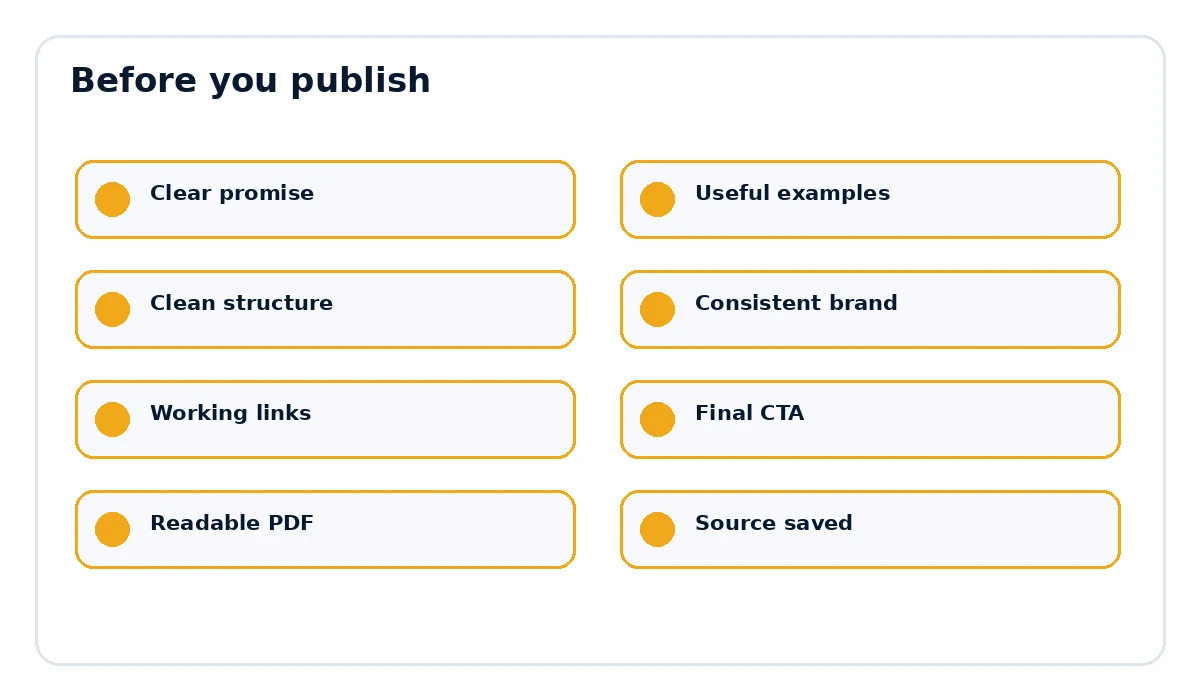
- The page title and document title match the actual promise.
- Examples, links and references are current and relevant.
- The document is easy to scan on desktop and mobile.
- The final call to action points to the correct destination.
- The exported PDF opens cleanly and every important link works.
Want the final document to look like a finished product?
Rebrand My PLR helps turn Word, text and Markdown files into more polished branded PDFs with a clearer cover, cleaner sections and a stronger final presentation.
See Rebrand My PLRFrequently asked questions
Do I need to rewrite all PLR content before reselling it?
No. You do not need to rewrite every sentence, but you usually get a stronger product by changing the positioning, examples, design, links and final offer rather than only changing the cover.
Can I put my own name on a PLR ebook?
Only if the license allows it. Some PLR licenses permit full rebranding while others impose restrictions.
What makes a rebranded PLR ebook feel more valuable?
Specificity, cleaner structure, updated examples, better formatting and one or two original additions usually make the biggest difference.