Quick answer
To update old PLR content with AI, audit the original file, verify time-sensitive claims, rewrite the weak sections with a clear brief, add current examples and finish with a human quality pass.
What to prepare first
- The original PLR source and license
- A list of outdated claims or links
- A clear audience brief
- A fact-checking source list
- A final branding/export workflow
Audit the content manually before prompting AI
AI works better when you know what needs help. Mark outdated examples, repetitive sections, dead links, old tools, weak transitions and unsupported claims. This gives the model a specific job instead of a vague rewrite request.
Separate factual updates from style updates
One common mistake is asking AI to do both at once. Update time-sensitive information separately, check what is still accurate and only then rewrite it for tone and clarity. This keeps you from polishing misinformation.
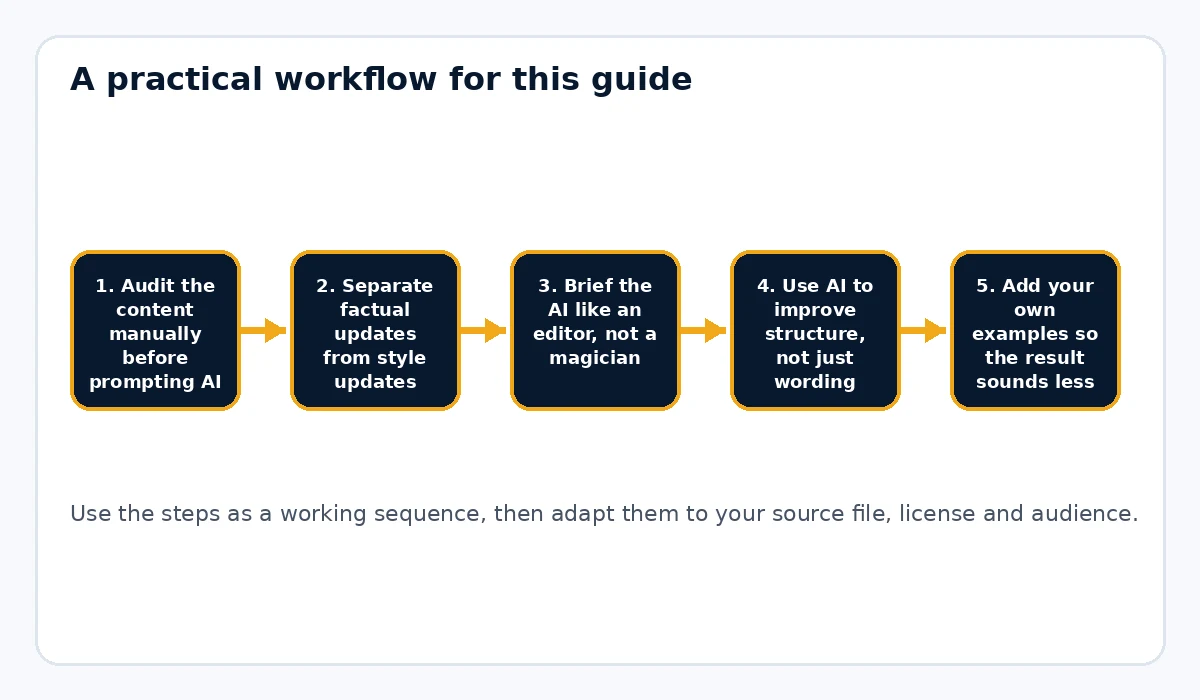
Brief the AI like an editor, not a magician
Give the model a role, audience, tone and goal. You can say, for example, 'Rewrite this section for first-time course creators, keep the voice practical, cut filler and preserve the chapter purpose.' Stronger input usually produces less generic output.
Use AI to improve structure, not just wording
AI can help condense long sections, rewrite headings, create better transitions and convert broad explanations into clear steps. It is often most useful as a structural editor rather than a one-click content machine.
Add your own examples so the result sounds less generic
The fastest way to make AI-assisted PLR feel more original is to insert your own examples, notes, warnings, templates or steps. Without that layer, updated PLR can still feel generic even when the prose sounds smoother.
Brand the revised document with a current look
Once the content is updated, give the finished guide a clean export path. Rebrand My PLR is useful for taking a revised text or Word file and turning it into a more polished PDF with branded covers, sections and links.
Finish with a human review
Read the entire guide from start to finish. Remove repetition, awkward transitions, overconfident claims and anything that does not match your brand voice. AI speeds up the editing process, but human review is what makes the result publishable.
Example update process
Suppose you own an old PLR ebook about productivity apps. You might first highlight outdated app references, use AI to suggest a cleaner structure and refreshed explanations, verify any software claims yourself, then add a current recommended-tool section and export the guide as a branded PDF.
Common mistakes to avoid
- Asking AI to rewrite an entire ebook with no guidance
- Trusting AI-generated facts without checking them
- Leaving old references and dead links untouched
- Publishing AI-polished filler that still says nothing specific
- Skipping the final human read-through
Separate research from rewriting
Do not ask an AI tool to “modernize everything†and assume the result is current. First identify facts that can become outdated: product names, platform features, statistics, prices, dates, laws, policies and screenshots. Verify those items using reliable current sources. Then use AI to help rewrite the confirmed information more clearly. Separating research from rewriting reduces the chance that a smooth-sounding paragraph contains an invented update. The polished tone of AI output should never be mistaken for evidence.
Give the AI a narrow editing brief
The strongest prompts describe the reader, the purpose of the section and what must stay true. For example: “Rewrite this section for first-time digital-product sellers. Keep the five steps, remove motivational filler, use plain language and do not add statistics.†That is much better than “make this better.†Work section by section so you can compare the revision with the source. If a rewritten paragraph changes a factual claim, stop and verify it before moving on.
Use AI to find weak spots, not only to generate prose
AI can also act like an editor. Ask it to identify repeated points, unclear transitions, missing steps or examples that do not fit the target audience. You can then decide which suggestions are useful. This keeps you in control of the product instead of replacing one generic PLR voice with a generic AI voice. The final guide should contain your choices, your examples and your quality standard even when AI helps speed up the editing.
Practical example
Imagine an old PLR guide about productivity apps. Start by marking every app name and feature claim. Check which tools still exist and which workflows have changed. Remove dead recommendations, update the examples and ask AI to tighten the explanations for a specific audience such as freelance writers. Add a new comparison checklist and then export the refreshed guide with current branding. AI saves editing time, but the accuracy comes from your research and review.
Final publishing check
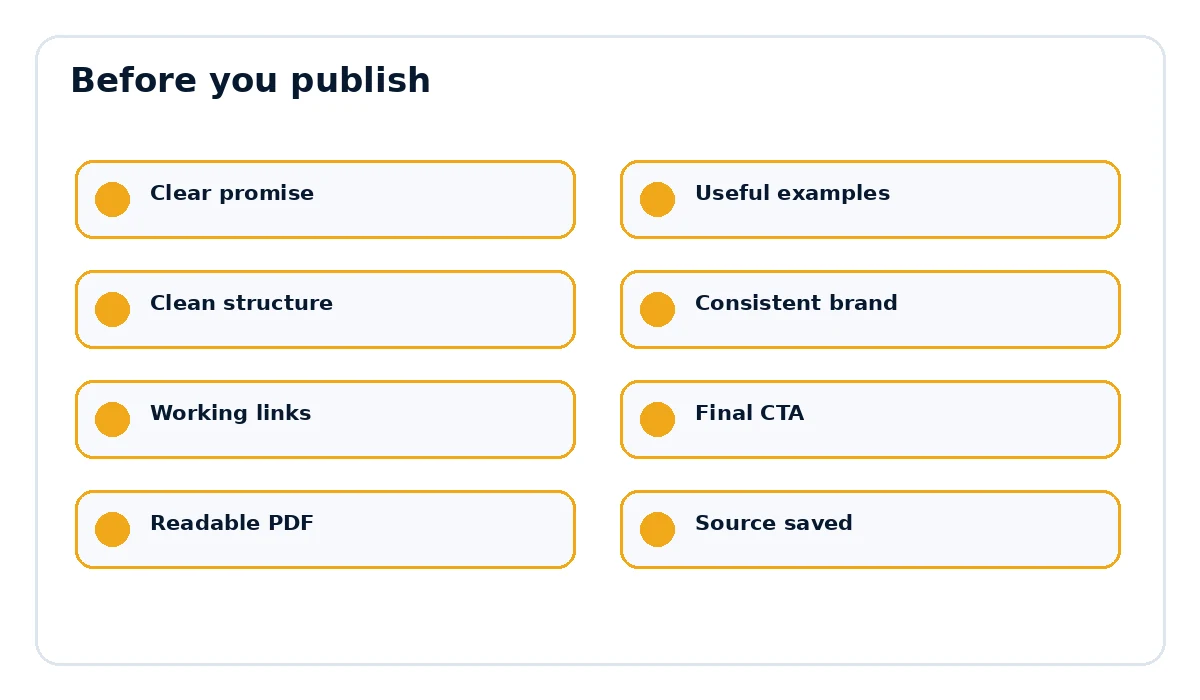
- The page title and document title match the actual promise.
- Examples, links and references are current and relevant.
- The document is easy to scan on desktop and mobile.
- The final call to action points to the correct destination.
- The exported PDF opens cleanly and every important link works.
Keep a simple change log for major updates
When you refresh an older PLR product, note the major changes you made and the date you made them. You do not need a formal software-style changelog, but a short text file can record which links were replaced, which examples were updated and which sections were added or removed. That becomes useful when you revisit the product months later. It also helps if you maintain several niche versions because you can see which changes should be carried across all of them. AI can speed up the revision, but organized source files and a clear update history keep the product maintainable.
Want the final document to look like a finished product?
Rebrand My PLR helps turn Word, text and Markdown files into more polished branded PDFs with a clearer cover, cleaner sections and a stronger final presentation.
See Rebrand My PLRFrequently asked questions
Can AI rewrite PLR content for me?
It can help rewrite and edit content, but you still need to verify facts and respect the license.
Should I rewrite the whole PLR ebook at once?
Usually not. Section-by-section work gives you more control.
How do I make AI-edited PLR less generic?
Use a clear audience brief and add your own examples, process or templates.